

 You can’t issue a Section 18A certificate for a donor whose tax number you don’t have. Or whose postal code is missing. Or whose ID type was never recorded. SARS won’t accept it, and even if you push it through, it comes back at audit time.
For most South African nonprofits, the worst part of Section 18A season isn’t issuing the certificates. It’s the spreadsheet hunt that has to happen first. Sorting, filtering, identifying who’s missing what, then chasing each one of them by email. A few hundred donors and that work alone fills a week.
We’ve shipped two new tools that take that week and turn it into an afternoon.
Tool 1: Incomplete Profiles report
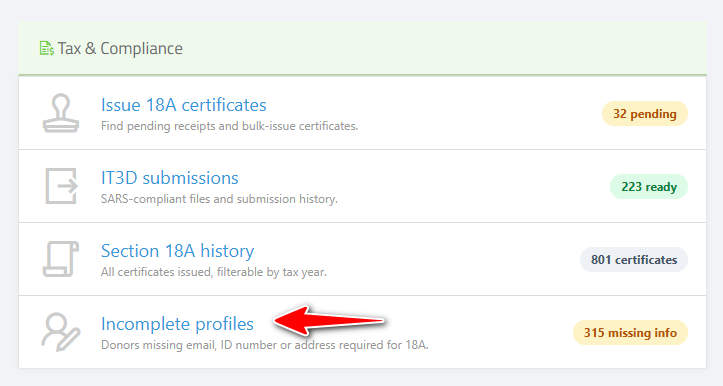
Open Reports → Tax and Compliance → Incomplete Profiles.
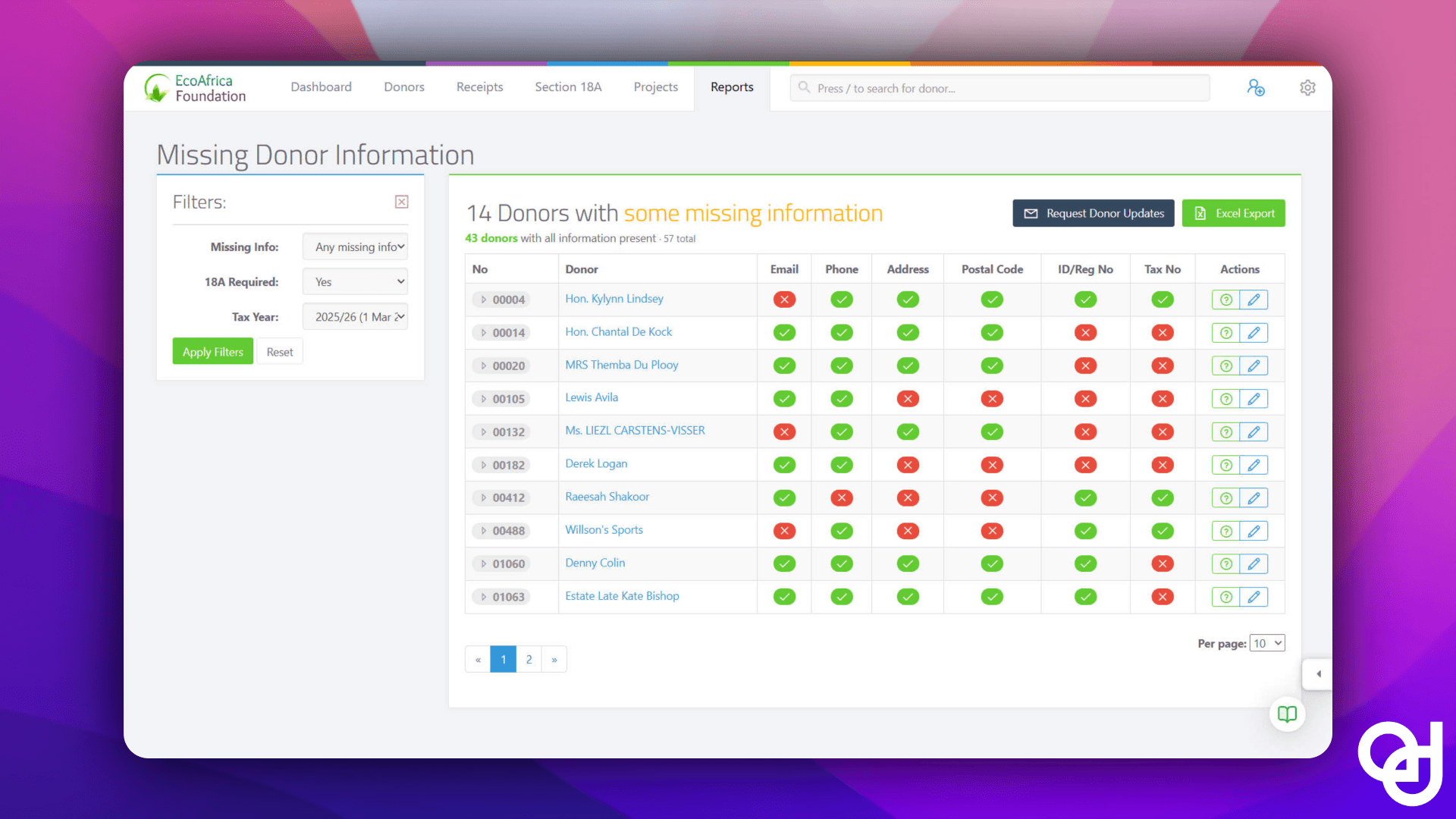
 You get a single view of every donor with a missing Section 18A required field. The sidebar filters by missing field type (Email, Phone, Address, Postal Code, ID/Registration, Tax Number) and by tax year. Set “Section 18A Required: Yes” and pick the current tax year, and the list collapses to exactly the people you need to chase.
Each row shows a check or a cross per required field. No more eyeballing a spreadsheet. If you have the info on hand, you can click the cross and fill it in directly. The next time you issue a certificate for that donor, the new value is already there.
Export the whole list to Excel if your team prefers to work in a sheet. The point isn’t the format. The point is that the data hunt is now one screen instead of five.
Tool 2: Bulk donor info requests
Most missing data isn’t on your desk. It’s in the donor’s head. So we built a way to ask all of them at once.
From the Incomplete Profiles report, click Request Donor Updates.
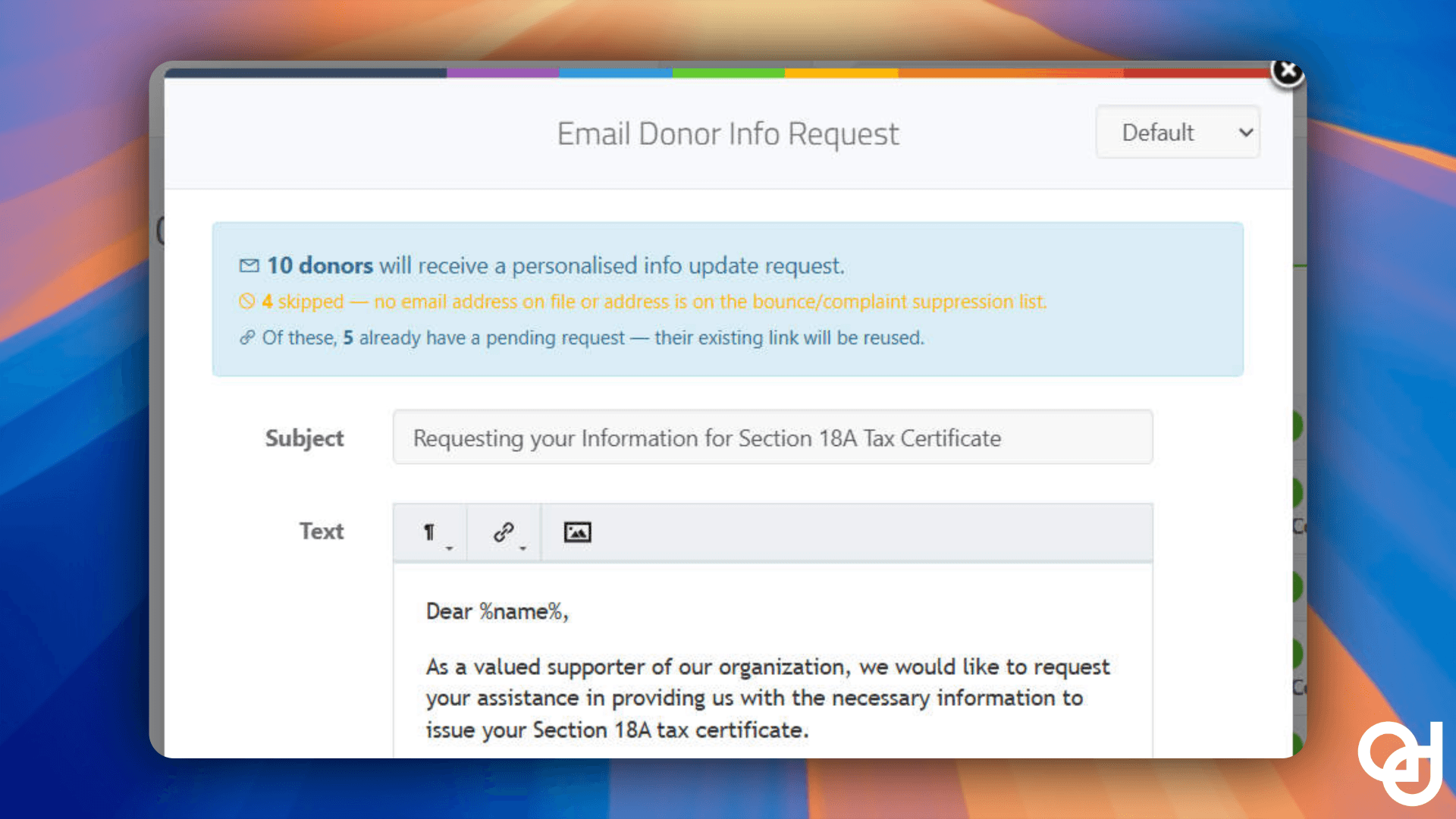
A compose modal opens with a default template ready to send. Three live counters tell you what’s about to happen:
- N donors will receive a personalised info request (the actual send count after suppression and cooldown)
- Skipped (donors with no email address or who are suppressed)
- Recently emailed (anyone we’ve already chased in the last 7 days)
You can edit the subject and body, send a test to yourself, preview the personalised result for the first recipient, then queue the batch. There’s a 30-second undo window if you click Send and panic.
Each email contains a personalised, 7-day-expiring link to a branded form.
 The form is mobile-friendly, pre-filled with whatever the system already has, and runs validation as the donor types. Income tax numbers are checked against the SARS format. ID numbers are checked for the correct check digit. We see a lot of nonprofits getting handed VAT numbers or PAYE numbers when they ask for a tax number. The form rejects those and tells the donor to enter the right one before they can submit.
If they need to send you something instead of typing it (a copy of an invoice, a confirmation letter), they can. The form lets them upload supporting documents.
What happens when they reply
Submissions land in a Donor Updates queue on your donors page.
You see who submitted what. You can review individually, or select all and save in bulk. If the system detects a duplicate (same ID number, different name, etc.) it surfaces a merge prompt rather than silently overwriting.
A separate Outstanding Requests tab tracks everything you’ve sent. Active links, expired links, who replied, who didn’t.
You can refresh expired links from here and chase non-responders without leaving the page.
How the time math actually works
A 500-donor nonprofit with 80 incomplete profiles. Old workflow:
- Export to spreadsheet, sort by missing fields: ~30 min
- Compose 80 personalised emails: ~4 hours
- Wait for replies, transcribe them back into the donor records: ~3 days of back-and-forth
- Realise 12 of them sent VAT numbers instead of income tax numbers, redo: ~2 hours
New workflow:
- Open Incomplete Profiles, filter, click Request Donor Updates: ~2 min
- 80 personalised emails go out
- Donors self-serve a validated form (no VAT number gets through)
- Bulk-save the responses as they come in: ~10 min total
You don’t get faster donors with this. You get less of your time spent on data plumbing.
Who this is for
Every nonprofit issuing Section 18A certificates needs clean donor data. But this saves the most time if:
- You have more than 100 donors
- You’re approaching the 31 May IT3(d) deadline
- You’ve been pulling the same Excel sheet for years and you know there has to be a better way
It’s available on all plans. Bulk info requests are gated by Manage Donors permission.
Try it before you need it
Section 18A season is unforgiving when the data isn’t ready. The two-week panic in May exists because the data hunt is hard. We made it easier so the panic is shorter, smaller, and ideally not there at all.
Log in and head to Reports → Tax and Compliance → Incomplete Profiles. If you’ve never touched it, run a filter for your current tax year. You’ll know in 30 seconds whether you have a problem to solve.